Have you found yourself taking a factory reset but were then unable to use your device without logging into your Google account? This is a standard security feature found on Samsung mobile phones that are running on Android 5.1 Lollipop and above.
Samsung calls this Factory Reset Protection (FRP), and it’s designed to stop people from stealing your device, giving it a factory reset and then taking it over. Assuming you’re not a thief, it can also get in the way of device owners who can no longer get access to the Google account that it’s asking for — we’ve all been there before at one point or another, including myself.
Being able to take the Factory Reset Protection off a device in Download mode is one of the main features that the FRP Hijacker v1.0 can handle, but it also comes with some great other features as well. For example, FRP Hijacker by hagard can fix soft-bricked devices, use a phone dialer to bypass a Google account, and there’s an ADB enabler tool as well. You can also use the ADB FRP Remover Tool if you prefer Android Debug Bridge.
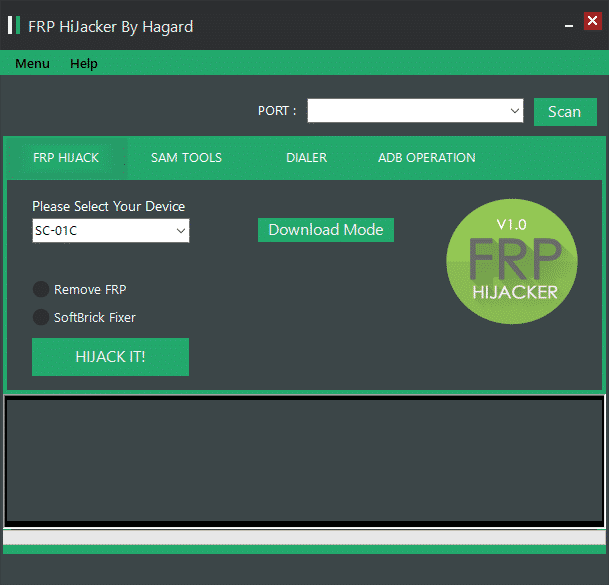
If it’s purely the Factory Reset Protection you’re hoping to use from this handy tool, then you would be forgiven for being a little bit confused if you’ve looked around the Web at other articles. There are FRP files that you can download individually for a device and they will remove the Factory Reset Protection for that one device. This tool, on the other hand, can handle the removal of FRP for a large number of devices all by itself. It doesn’t matter which way you go about it, but since you’re here, you might as well try this tool out for size.
Download FRP Hijacker Tool v1.0
File Name: Frp_Hijacker_v1.0
File Version: v1.0
Download Link: Download FRP Hijacker Tool
Take Into Account
Compatibility: You can only use the FRP Hijacker Tool on a Windows-based operating system. This includes Windows 10, Windows 8.1, Windows 8, Windows 7, Windows Vista, and Windows XP.
Back Up Your Data: You should always take a backup of the current data before using such tools as the FRP Hijacker. that way you can always restore your data again later if you need to.
Password Protection: If you find that the file is password protected before it lets you install it, check inside the folder for a link to the password that you need.
Official Tool: Hagard developed the FRP Hijacker v1.0.
You might also be interested in:
- Download SUT L3 Tool (All Versions)
- How to Use Malicious Software Removal Tool in Windows 10
- Download Smartphone Flash Tool (SP Flash Tool)
- Download GSM Aladdin V2 1.34 Tool
- Download UMT Ultimate Multi Tool Latest Setup
- Download Minimal ADB and Fastboot Tool (All Versions)
- Download Motorola Device Manager (All Versions)
- Download Miracle Box v2.14 Tool
- Download Android Multi-Tools to Remove Pattern Lock/Password
- How to Use Qualcomm Flash Image Loader (QFIL)
Comments
Post a Comment